
Procreate Pocket vs. Infinite Painter: The Battle for the Commute Sketch
A direct comparison of Procreate Pocket and Infinite Painter focusing solely on brush engine latency and touch accuracy on small smartphone screens during daily commutes.

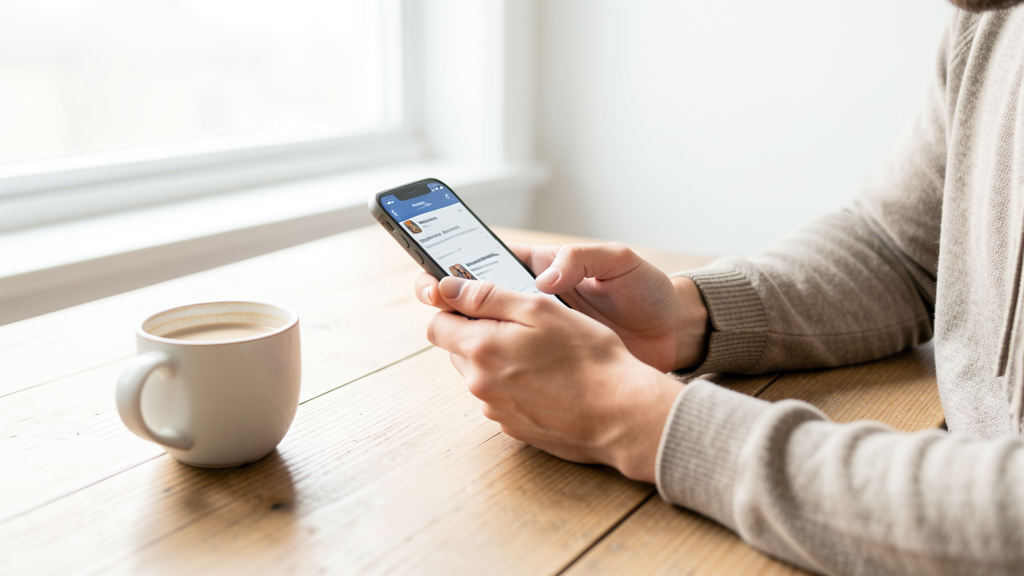
Last Tuesday, I found myself standing on the 8:05 AM train from Brooklyn to Manhattan, crushed between a humidified backpack and a pole. My iPad Pro was sitting safely on my desk at home—a deliberate choice. I wanted to see if the tools in my pocket could truly replace the studio experience for quick ideation. The goal wasn't to render a masterpiece; it was to capture a gesture of the sleepy passenger across from me before the train reached Fulton Street. This scenario is the ultimate stress test for mobile art software. When your canvas is six inches and your "pen" is a sweaty finger, the brush engine needs to be telepathic.
For this test, I pitted two giants against each other: Procreate Pocket and Infinite Painter. While both are staples in the Creative Design category, they usually get reviewed on tablets. I wanted to strip away the tablet advantages—palm rejection via stylus hover, expansive screen real estate, and desktop-class processors—and see how they behaved on a bare-bones iPhone 14.
The Commute Canvas: A Real-World Scenario
I launched Procreate Pocket first. The subject was a man in a trench coat reading a folded newspaper. I had roughly four minutes until my stop. I selected the 'Nikko Rull' brush, a personal favorite for its jagged, inky edge. As the train swayed, I made a sweeping stroke for the collar. The line appeared instantly. There was a tangible sense of friction, a feedback loop that felt remarkably similar to actual paper. Even with my thumb obscuring part of the stroke, the app’s interpolation algorithms predicted the path of my finger with scary accuracy. The line weight shifted naturally as I sped up the stroke to catch the curve of his shoulder before he moved.
Two days later, same route, different subject. I opened Infinite Painter. This time, I was attempting to sketch a woman sleeping against the window. I chose a standard 'Hairy Brush' to get some texture. The interface greeted me with a wealth of options—layers, blend modes, symmetry guides—but on a vertical phone screen, these menus felt crowded. I tapped the brush icon and laid down a stroke. The initial mark felt slightly "floaty." It wasn't lag, exactly, but the smoothing algorithm felt more aggressive, rounding off the sharp jerks of the train ride. While this makes for smoother lines in a static environment, in a vibrating subway car, it disconnected my input from the output.
Procreate Pocket: The Direct Line
Procreate Pocket has a singular focus: getting out of the way. The brush engine, technically a downscaled version of the Valkyrie engine found on the iPad, is optimized for Metal performance on iOS. During my commute tests, the most striking feature was the lack of input delay. When you are drawing on a phone, you rarely look at the tip of your finger; you look slightly above it, relying on the software to register the contact precisely.
Pocket excels here. The "StreamLine" feature, which smooths strokes, can be dialed back to zero for a raw, jittery response that mimics the instability of a moving train. I found myself setting the pressure curve to be softer, compensating for the lack of a stylus's fine tip control. The interface gestures—two-finger tap to undo, three-finger swipe to redo—are muscle memory for anyone who has used Savage’s software. This is critical when you have one hand holding the rail and the other sketching. You cannot hunt for a menu button with a greasy thumb.
There is a specificity to how Pocket handles layer merging as well. It feels destructive in the best way possible. I could flatten my sketch and color layers quickly without navigating through dialogue boxes. It respects the user's need for speed.
Infinite Painter: Feature Density vs. Screen Real Estate
Infinite Painter approaches the phone canvas as if it were a shrunken tablet. This is both its strength and its Achilles' heel. On the iPad, the ability to pull up a perspective guide or a complex symmetry wheel is a godsend. On a phone, these tools often obscure the very subject you are trying to draw.
I attempted to use the 'Perspective' feature to sketch the interior of the train car. The guide lines overlaid my photo reference perfectly, but toggling the settings for the vanishing points required a precision touch that was impossible while standing up. I ended up abandoning the tool and drawing freehand.
Regarding the brush engine, Infinite Painter offers more variety out of the gate. The blending capabilities in particular are superior. I tested a dry brush technique to simulate the texture of the seat upholstery. In Infinite Painter, the bristles separated and mixed colors with a realism that Pocket struggles to match without heavy customization. However, this realism comes at a cost. The engine felt heavier. On my older iPhone, the stroke rendering stuttered slightly when I zoomed in to add detail to an eye. It was a micro-stutter, but in the flow state of a three-minute sketch, it broke concentration.
Responsiveness on a Six-Inch Display
The core issue for phone sketching is the "finger occlusion problem." You can't see where the line starts because your finger is covering it.
Procreate Pocket handles this with a "touch tracking" offset that feels calibrated for the human hand. I noticed this when drawing the fine lines of a headphone wire. The ink appeared exactly where I expected the tip of a theoretical pen to be, rather than the center of my finger pad.
Infinite Painter allows for offset calibration in the settings, but the default experience felt slightly off-center. I had to consciously aim lower than my target point. This cognitive load is negligible when you have time to correct yourself, but during a commute, you don't have that luxury. You get one shot at the gesture.
Furthermore, the pressure sensitivity simulation differs wildly. Pocket relies on stroke velocity—faster means thinner, slower means thicker—which is the standard behavior for finger painting. Infinite Painter attempts to detect surface area, simulating pressure based on how much of your fingerprint is touching the glass. In theory, this is brilliant. In practice, on a cold morning train, dry skin often confuses the sensor, resulting in lines that randomly jump from thick to thin. Pocket’s velocity-based consistency proved more reliable for the "dirty" sketching style of commuting.
Battery and Throttling During the Morning Rush
A practical concern for digital nomads is battery longevity. Running a high-fidelity brush engine drains power. I monitored the battery consumption on a specific Tuesday morning trip.
Procreate Pocket is lean. I sketched for 25 minutes during my round trip, and the battery dropped by roughly 4%. It seems the app is highly optimized to not fire up the GPU unless a stroke is actively being rendered. Infinite Painter, with its more complex interface and continuous background processing of brush textures, caused a 7% drop over a similar duration.
This difference might seem trivial, but if you are using your phone for work immediately after the commute, that 3% deficit matters. I noticed my phone running warmer after the Infinite Painter session. Thermal throttling can kill brush responsiveness faster than anything else. Once the processor gets hot to conserve energy, the input lag spikes. If you are concerned about maximizing your device's uptime, you might want to check The Truth About Closing Apps to Save Battery Life, though in this case, keeping the app in a suspended state was actually better than letting it run in the foreground where it generated heat.
Managing Time and Attention
We sketch on commutes to fill dead time, but sometimes the app setup eats into that time. Infinite Painter wants to be a studio; it invites you to fiddle. I found myself spending more time selecting colors and adjusting gradients than actually drawing the people around me.
Procreate Pocket forces a stripped-down workflow. It discourages fiddling. This aligns well with the philosophy of time management found in other digital hobbies. Just as players analyze Honkai: Star Rail vs. Genshin Impact: Choosing Your Time Commitment to fit gaming into a busy schedule, artists must choose tools that fit into the cracks of their day. Pocket respects the brevity of the moment; Infinite Painter tries to expand it.
Which Tool Actually Disappears?
By Friday, I had a folder full of sketches. The ones from Procreate Pocket were rougher, jitterier, but they captured the energy of the subway. The lines felt like they had a pulse. The ones from Infinite Painter were smoother, better blended, but they looked like I had sat at a desk and labored over them, despite being drawn on a moving train.
If you need a portable studio that can handle complex illustrative layers and you have a steady hand (or a seat), Infinite Painter offers depth that Pocket cannot touch. Its brush variety is stunning, and the color blending is best-in-class.
However, for the specific problem of the commute sketch—the act of capturing a fleeting moment while your body is in motion—Procreate Pocket is the clear victor. The brush engine feels like an extension of your nervous system, requiring zero adjustment for the chaotic input of a finger on glass. It turns the phone into a digital napkin. Infinite Painter turns it into a computer. When the train lurches and you have three seconds to draw a stranger's smile before they leave the car, you want the napkin.
Read next
Stop Swiping Your Apps Away: The Real Battery Saver Protocol for 2026
Why force-quitting apps is actively destroying your battery life and the precise technical protocol for managing memory efficiently.
Honkai: Star Rail vs. Genshin Impact: The Daily Grind Audit of 2026
A detailed time-tracking audit revealing that playing both HoYoverse titles costs over 60 hours a month, and why Star Rail is the only sustainable option for a working professional.